
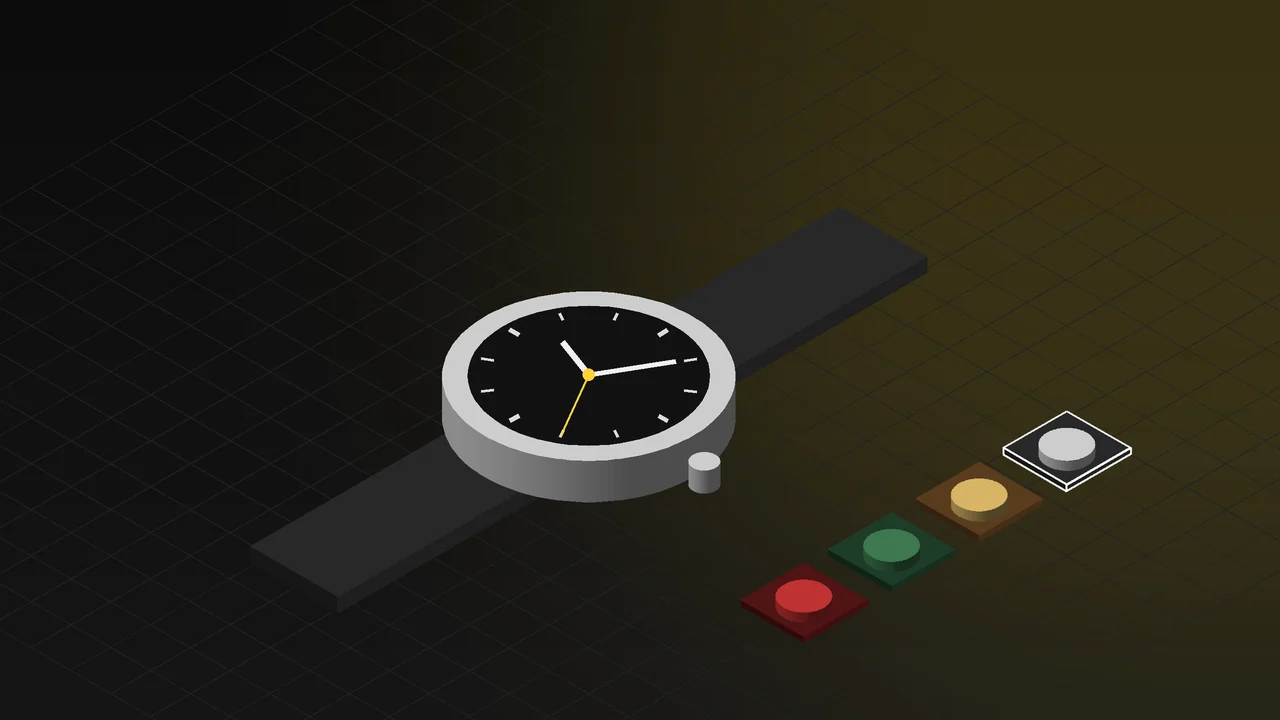
Anyone who has tried to photograph a watch runs into the same thing: the crystal reflects everything in the studio. There is the photographer's silhouette on the polished case, a speck of dust on the dial, a fingerprint on the strap. The closer the macro lens gets, the bigger the problem. The result is either hours of retouching or an image duller than the product deserves.
In this article we explain how watches, jewellery and accessories are visualized in 3D: showing details such as dial printing, depth under the crystal and the brushed finish of steel, presenting strap and case combinations from a single model, animation with a running seconds hand, and how the sense of trust around a luxury product is kept on screen.
The difficulties of macro photography
Watch photography is one of the hardest branches of product photography. The reasons:
- Reflections: Crystal and polished steel are mirrors. Light sources, the camera and the surroundings appear on the case. Polarizing filters and light tents help, but do not solve it completely.
- Dust and fingerprints: At macro scale, a speck of dust invisible to the eye becomes a blemish in the image. Every touch leaves a new mark.
- Depth of field: At close range, sharpness drops to a few millimetres. To show the whole dial in focus, dozens of frames are combined (focus stacking).
- Hand position: The watch has to sit at a standard position such as 10:10; the moving hands are set and fixed during the shoot.
- Variants: The shoot is repeated for every strap, case and dial combination. No sample, no image.
In 3D, each of these difficulties either does not exist or becomes a setting. For a general comparison of the two methods, see 3D product rendering vs product photography.
Dial, crystal and steel in 3D
A watch wins or loses its credibility in a few square millimetres. In the 3D model, these are set up one by one:
- Dial printing: Numerals, indices and the brand name come from vector files and stay sharp when zoomed in. The slight relief of the print above the dial surface and the luminous fill are shown separately.
- Depth under the crystal: The thickness of the sapphire crystal, its refraction and the faint tint of the anti-reflective coating are built into the model. The dial sits at the correct depth under the crystal; that depth is what separates a cheap-looking watch image from an expensive one.
- Brushed steel: The brushed surfaces of the case and the polished bevels sit side by side on the same part. The direction of the brushing matches the real product; as the light turns, the grain shifts the way it does on real steel.
- Strap: The grain and stitching of leather, the matte surface of rubber, the link spacing of a steel bracelet. The way the strap sits on a wrist or a table is given a realistic curve.
- Movement: If there is an exhibition case back, the rotor, bridges and screws are modelled and shown running in the animation.
Strap and case combinations: the whole range from one model
If a watch model sells in three case colours, five straps and two dials, that is thirty combinations. In photography that is thirty separate shoots, and most brands shoot only a few. In 3D, the case, strap and dial are defined as options. Every combination is rendered from the same angle in the same light; on the product page the customer sees the image of the combination they chose, not a swatch.
The same structure works for limited editions and made-to-order pieces. A dial colour that has not been produced yet or an engraved case back goes on the product page before orders open. For image production, see our 3D rendering and product visualization page.
Trust in luxury products
A customer buying an expensive product from a screen builds trust by looking at the detail in the image. A blurry dial or inconsistent lighting raises doubts about the product itself. 3D helps here in two ways. First, detail: the camera can get as close as needed to the dial, the bevels and the stitching, and there is no dust or fingerprint anywhere. Second, consistency: every watch in the range sits in the same studio at the same camera angle; the collection looks like it came from a single hand.
One thing needs care: the 3D image must not look better than the real product. The tone of the steel, the colour of the leather and the texture of the dial are tuned against a real sample. The aim is not to show the product as something it is not, but to carry the first impression from the shop window to the website.
A running seconds hand: animation
A watch is a product that comes alive through movement. In a still image the hands are frozen in one pose; in an animation the seconds hand sweeps, the chronograph starts, the rotor of the automatic movement turns. In a launch video the camera glides over the dial, light slides along the bevels, the strap changes. Luxury product animations like this are used on social media and in-store screens. For details, see our 3D product animation page.
Live example: examine the watch in your browser
The interactive experience on our 3D Web App homepage includes a watch. The visitor examines it at real dimensions, from the dial to the strap. The dial printing, the depth under the crystal and the brushed finish of the steel stay sharp in close-up. Hand and pusher colours change with a click; case and strap combinations can be tried. The seconds hand runs, and the product feels alive on screen. Open the watch example in your browser; no app download is needed and it works on phones.
The same structure is built on your own product page; limited editions and made-to-order options are offered on the same page.
Jewellery and other accessories
Most of the above applies to jewellery, eyewear, pens and leather accessories too. In jewellery the extra challenge is the stone: the cut of a diamond, its refraction and its fire (colour dispersion) are modelled with real physical values; the tone of gold and silver is set according to the alloy. In eyewear the anti-reflective coating of the lenses and the acetate pattern of the frame stand out; in pens, the lacquer and metal trim. The principle is the same for all of them: the model is built once, and material and colour options are produced from the same model.
Frequently Asked Questions
Can a 3D watch image be told apart from a real photo?
Images prepared with correct crystal, steel and dial settings are indistinguishable from photos on product pages and in catalogues. A real sample or detailed photos make it much easier to match material tones exactly.
Is a technical drawing alone enough?
Yes. A model can be prepared from the technical drawing or CAD file of the case and strap, the vector file of the dial design and the material information. Launch images can be ready before the product is manufactured.
Can the sparkle of stones be shown realistically in jewellery?
Yes. The cut and material of the stone are defined with physical refraction values; light refraction and colour dispersion are calculated as in a real stone. The result gives, in a controlled way, the brilliance that is hard to capture in a macro shoot.
Tell us briefly about your collection and where the images will be used, and we will work out the right plan together.