
Cosmetics are mostly sold by their packaging. The customer cannot try the cream or smell the perfume through a screen; all they have is the image of the bottle. If the glass looks dull, the liquid colour is off or the label is blurry, the product looks cheap. And if the ten products in a range were each shot on a different day in different light, the brand looks untidy.
In this guide we explain how cosmetic products are visualized in 3D: how difficult materials such as glass, frosted glass, liquid, metal caps and labels are made to look real, how a range sits in a single scene, what is produced for e-commerce product pages and launch animations, and how it differs from photography.
Why images carry so much weight in cosmetics
With food or clothing, a photo says a lot about the product itself. In cosmetics the product is hidden inside the bottle. The packaging is all the customer sees, and they read quality from the gloss of the glass, the weight of the cap and the sharpness of the label. Small mistakes look big.
Then there is the logic of the range. A skincare line has a serum, a cream, a toner and an oil, each in a few sizes and sometimes a few scents. They are all expected to appear in the same light, from the same angle, on the same surface. With photography, keeping that consistent for a product added months later is hard.
Glass, liquid, metal and labels: the difficult materials
The quality of cosmetic visualization shows in the materials. Each needs its own attention:
- Clear glass: It bends light, reveals the liquid and label behind it, and darkens at the edges where it gets thicker. If the glass thickness does not match the real bottle, it looks like plastic.
- Frosted glass: It scatters light and shows the liquid inside as a soft shape. The amount of surface roughness defines the character of the product.
- Liquid: Colour, transparency and the meniscus line where it meets the glass must be right. A serum and an oil look different in the same bottle.
- Metal caps: Brushed aluminium, polished chrome or matte paint each reflect their surroundings differently. An embossed logo on the cap has to stay readable in close-up.
- Labels: Paper, clear film or direct print? The thickness of the label, how its edge meets the glass and the sharpness of the type all show when the product page is zoomed in.
Once these materials are set up correctly, they are applied to every product in the range. When a new bottle arrives, the material library is ready; the work comes down to modelling the bottle shape.
The range in one scene: consistency across the collection
This is where 3D helps cosmetics most. The studio is built once: light, camera height, surface and shadow are fixed. Every product in the range is placed in the same scene and rendered with the same settings. A product added at the end of the year looks exactly like the one rendered in January.
The same scene produces single product images and a family shot with the whole range side by side. For a gift set, a limited edition or different sizes, rearranging the bottles is enough. There is no shoot to schedule and no products to ship to a studio.
E-commerce product pages and launch animations
Different content for different purposes comes from the same 3D model:
| Content | What it is for |
|---|---|
| White-background product image | The main image that meets e-commerce and marketplace standards; the whole range from the same angle |
| Label close-up | A detail image where the ingredients, volume and brand type are readable |
| Open-cap view | Shows the dropper, pump or spray head and explains how the product is used |
| Texture and lifestyle image | Campaign images that give the feel of the product on water drops, stone or fabric |
| Launch animation | The bottle turning, the cap opening, the liquid moving; a short video for social media and the launch event |
In a launch animation the camera can move right up to the inside of the bottle, the liquid can pour in slow motion and the cap can open in mid-air. None of that is easy in a real shoot. For the animation side, see our 3D product animation page.
How it differs from photography
Cosmetic photography is a hard discipline. Glass reflects everything; the studio lights, the photographer and the ceiling all appear on the bottle. Fingerprints and dust show in close-up. An air bubble in the liquid ruins the shot. Most of these problems take hours of retouching.
In 3D, reflections are under control: only what is in the scene is reflected. There is no dust and no fingerprints. The liquid level is set as needed. A bottle that has not been filled yet, or even moulded yet, can be visualized from its design file. Photography's advantage is speed for a single hero shot when you already have the real product in hand. For a general comparison of the two methods, see 3D product rendering vs product photography.
Live example: browse a cosmetics range in your browser
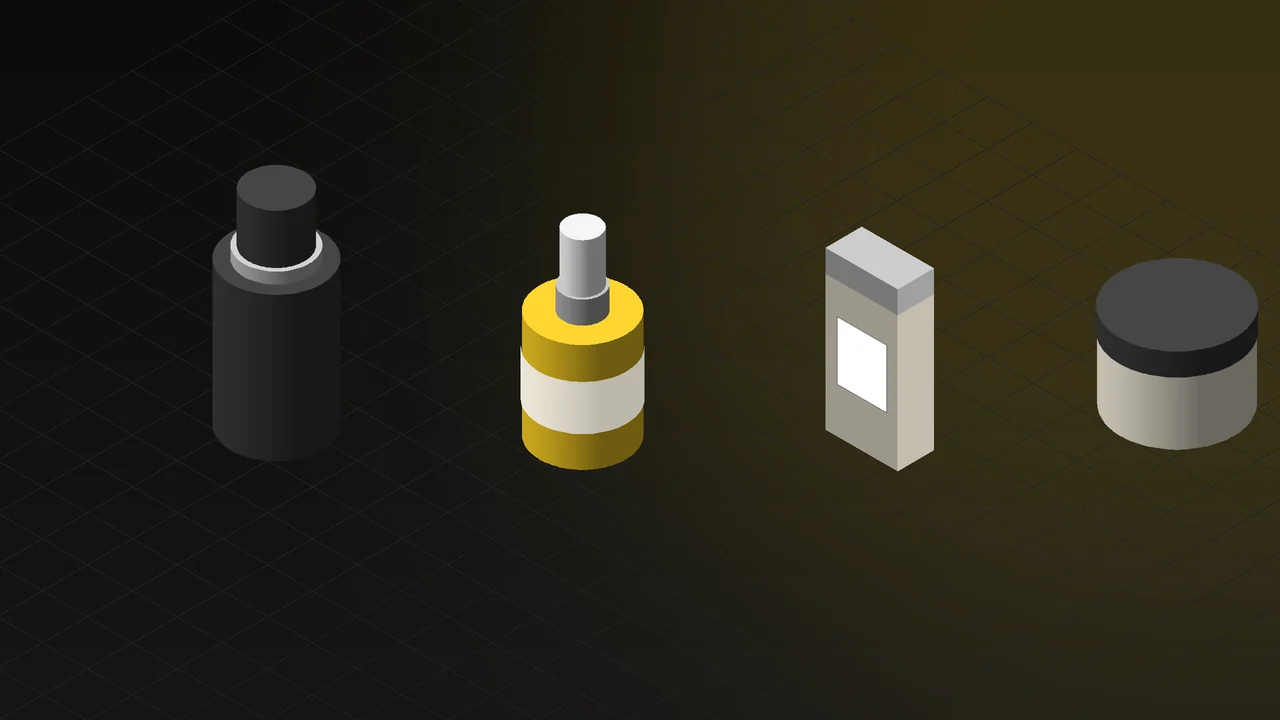
The interactive experience on our 3D Web App homepage includes a cosmetics range. Four products sit in one scene: a black body splash bottle, an aluminium eye cream tube, a frosted glass serum with a dropper and a dark glass treatment oil. When a visitor selects one, it comes forward and its details open beside it. They can open the cap and zoom in to read the label. The glass, frosted surface, metal cap and label stay sharp in close-up. Open the cosmetics example in your browser; no app download is needed and it works on phones.
The same approach can be brought to your own product page. The customer opens the cap, reads the label and decides without holding the product; returns and support questions go down. Details are on our 3D web design and product configurator page.
What do you need to get started?
- Bottle and cap data: The technical drawing or CAD file from your packaging supplier. If there is none, the real product and its measurements are enough.
- Label and print files: The vector label design, the logo on the cap and the print technique (hot foil, screen print, paper label).
- Material information: Glass colour and transparency, frosted or glossy, the cap material and finish, the colour of the liquid.
- Range list: Which products, sizes and scents are to be visualized.
- Where they will be used: E-commerce, social media, printed catalogue, launch; ratios and resolution are set accordingly.
Frequently Asked Questions
Can 3D glass be told apart from real glass?
Glass prepared with the correct thickness, refraction and lighting is indistinguishable from real glass in product images. A sample of the real bottle or good photos of it make the best result easier to reach.
Can a product be visualized before it is manufactured?
Yes. The design file of the bottle and cap plus the label artwork are enough. Launch images and animation can be ready before filling begins.
Does everything start over when a new product joins the range?
No. The scene, lighting and material library are already there. Only the new bottle shape is modelled and placed into the existing scene; the result matches the earlier images.
Tell us briefly about your range and where the images will be used, and we will work out the right plan together. Take a look at our 3D rendering and product visualization service.