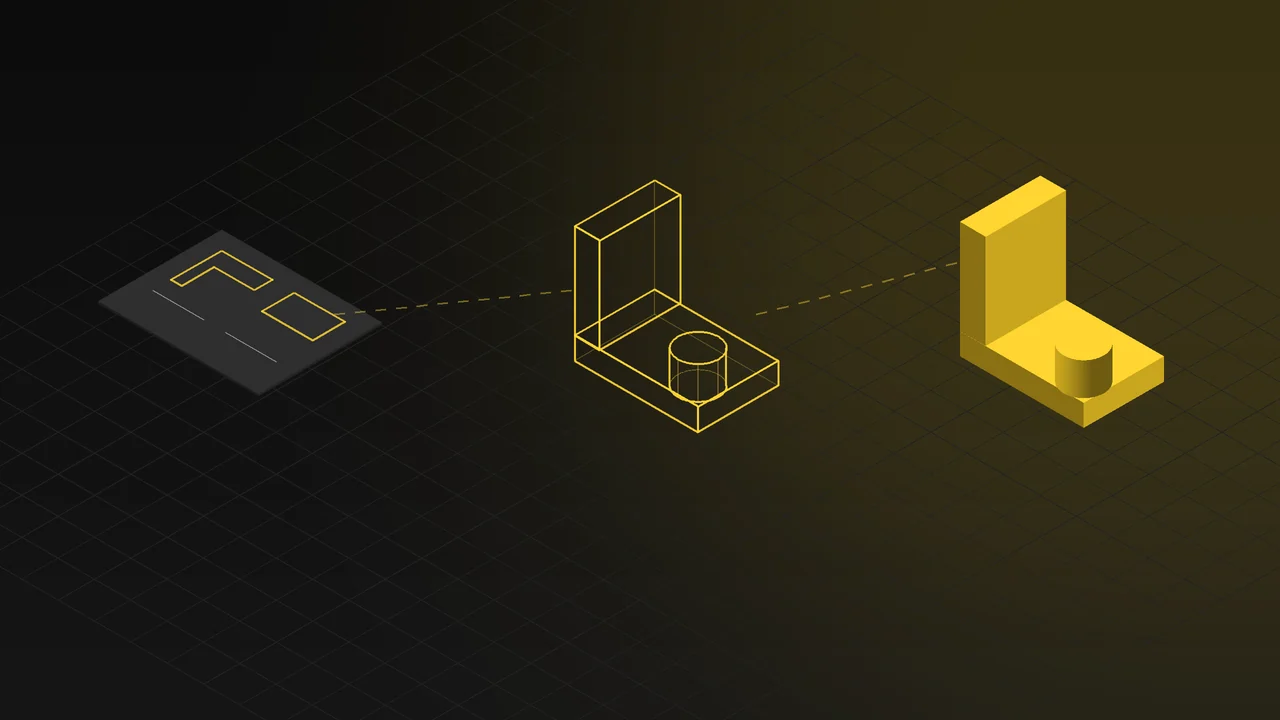
Every 3D render, product animation or product you can rotate in the browser starts in the same place: the product's 3D model. When the model is well prepared, the quality of the images goes up, and so does the speed of every new job that follows. When the model is weak, even the best lighting and render settings cannot save the result.
In this article we explain what 3D product modeling is, which sources a model can be built from, why an engineering CAD file is not ready for visualization as it is, and where a single model can be used.
What is 3D product modeling?
3D product modeling means building a product's shape, dimensions and surface details in three dimensions on a computer. In a model made for visualization, the goal is not to manufacture the product but to show it accurately and convincingly. That is why it matters how the edges catch the light, where the parts meet, small details such as screws and logos, and how materials sit on each surface.
What sources can a model be built from?
| What you have | How we proceed |
|---|---|
| CAD file (STEP, etc.) | The fastest and most accurate starting point. Dimensions come in exactly; the model is then prepared for visualization. |
| Technical drawings | The model is built from scratch using the views and dimensions. |
| Photos and measurements | The model is built from photos taken from different angles and the main dimensions. |
| A physical sample | If we have the product, it is measured and examined up close; texture and colour are taken from the sample too. |
Even if the product has not been manufactured yet, a model can be built from the design files. Launch images and videos are then ready at the same time as production.
Why isn't a CAD model ready for rendering as it is?
An engineering CAD model is built for the needs of manufacturing; visualization has different needs. That is why a CAD file usually goes through a preparation stage:
- Unneeded internal detail: Internal parts, screw threads and fasteners that will never be seen make the model heavy. Hidden parts are simplified; if a cutaway or exploded view will be shown, the relevant parts are kept.
- Sharp edges: No edge in the real world is razor sharp. Small rounded bevels on the edges catch the light and make the product look real.
- Surface structure: Surfaces converted from CAD can produce ripples or broken shading in a render. These surfaces are cleaned up and, if needed, remodelled.
- Material information: A CAD file does not visually tell whether a part is plastic, brushed metal or lacquered. Parts are separated by material and the right material is defined for each surface.
- Logos, labels and text: Prints and labels on the product are often missing from the CAD file and are added separately.
Level of detail depends on where the model is used
The same product is modelled at different levels of detail depending on where it will be used:
| Use | What the model needs |
|---|---|
| Catalogue and e-commerce renders | Flawless surfaces even in close-ups, fine details and realistic materials. |
| Product animation | Moving parts kept separate and on the correct axes; internal parts for cutaway and exploded views. |
| Web 3D and configurators | A lightweight model that opens quickly in the browser; part of the detail is moved from the geometry into textures. |
One model, many uses
Once a product is modelled correctly, the same model is reused for different jobs:
- Photorealistic images: White-background product shots, lifestyle images, colour and material variants. 3D rendering and product visualization
- Product animation: Videos that explain how the product works, its inner mechanism and its assembly. 3D product animation
- Trade show and presentation videos: For stand screens and sales presentations. Trade show and presentation animation
- Interactive 3D on your website: Configurators where visitors rotate the product and choose its colours and materials. 3D web and product configurators
That is why discussing where the model will be used later, already at the modelling stage, speeds up the next jobs and removes the need to model the product again.
Materials and textures
Materials matter as much as shape for a realistic model. The direction of brushed metal, whether a plastic is matte or glossy, the weave of a fabric and the grain of wood all have to be defined at a scale that matches the product's real size. We explain how materials are made realistic in our guide to photorealistic 3D product visualization.
What should you prepare for modeling?
- Files: A CAD file in a common format such as STEP, or technical drawings, if available.
- Photos: If there are no files, well-lit photos of the product from different angles and its main dimensions.
- Material and colour information: RAL or Pantone codes, finish types, fabric and material samples.
- Variants: The product's colour, size and accessory options.
- Intended use: Whether the model will be used for renders, animation or the web, so the right level of detail is planned from the start.
Frequently Asked Questions
Can you model a product if we don't have a CAD file?
Yes. A 3D model can be built from scratch using photos, measurements or a sample of the product.
Can a product be modelled before it is manufactured?
Yes. A model built from design files or technical drawings can be used for promotional and sales images before the product goes into production.
Can a model made for rendering be used in animation and on the web?
Yes. The same model can be used for product animation, a trade show video or a web-based 3D configurator. For the web, the model is optimized so it opens quickly in the browser.
Does each colour of the product need a separate model?
No. The model is built once; colour, material and accessory variants are produced from the same model.
Let's plan together which source your product model will be built from and what it will be used for. Take a look at our 3D rendering and product visualization service or get in touch.